One learner record, connected safely across home and school.
See the current Learnaroo Hub LMS by role: what parents, children, independent teachers, managed teachers and headteachers can do now, what needs a school connection, and what is still planned.
Headteacher control across the whole school
A Headteacher account is the school owner for LMS access. It can see and manage the teachers, classes and children attached to that school.
- Create child accounts with school details, year, key stage, class and support information
- Create managed teacher accounts and assign one teacher to one or several classes
- Create and edit classes, assign children, and view classes created inside the school
- Control whether a managed teacher may edit timetables for their assigned classes
- Assign curriculum resources or homework with deadlines to school learners
- View school-linked learner activity and individual report information within the school scope
- Use SEN flags/register data already attached to learner profiles while the wider SEN panel develops
Two teacher models, with clear school authority
Independent teachers manage their own classes. Teachers created by a Headteacher work only inside the classes that Headteacher assigns.
- Independent teacher: create children and classes within the selected account limits
- Managed teacher: cannot create classes; the Headteacher assigns one or more classes
- Manage children, assignments, homework and deadlines inside authorised classes
- Create and view class timetables when account/class permission allows it
- Connect an existing child through their unique token instead of duplicating the learner
- Use the separate educator professional-development resource library
Self-managed
Creates and manages their own classes and learners within plan limits.
Headteacher-assigned
Works with assigned classes. Timetable editing follows the Headteacher’s permission.
Create, guide and connect each child
Parents can use Learnaroo without a school, support children in different years or schools, and connect each child to school separately when needed.
- Create child accounts; children cannot sign themselves up
- Record year/key stage so content and personal study planning can be age-appropriate
- Assign resources, set deadlines and review the child’s recorded activity
- Allow child self-assignment, or require the child to request adult approval
- Connect a child to school using the child’s unique token
- Connection required View school homework and the school timetable when that child is linked
A safeguarded account created by an adult
A child signs into an account created by a parent, teacher or Headteacher. Their experience follows the permissions and connections set by those adults.
- See resources and deadlines assigned by authorised adults
- Start learning and build a record of completion, attempts, scores and time where supported
- Create a personal study timetable
- Connection required See school homework and the class timetable when linked to school
- If self-assignment is allowed, select learning independently
- If self-assignment is restricted, request a resource from the parent and connected school
A different view for each stage
Explore example stage-based dashboard views. The tools and records a child sees depend on their account, available activities and adult permissions. Choose a stage to see the example.
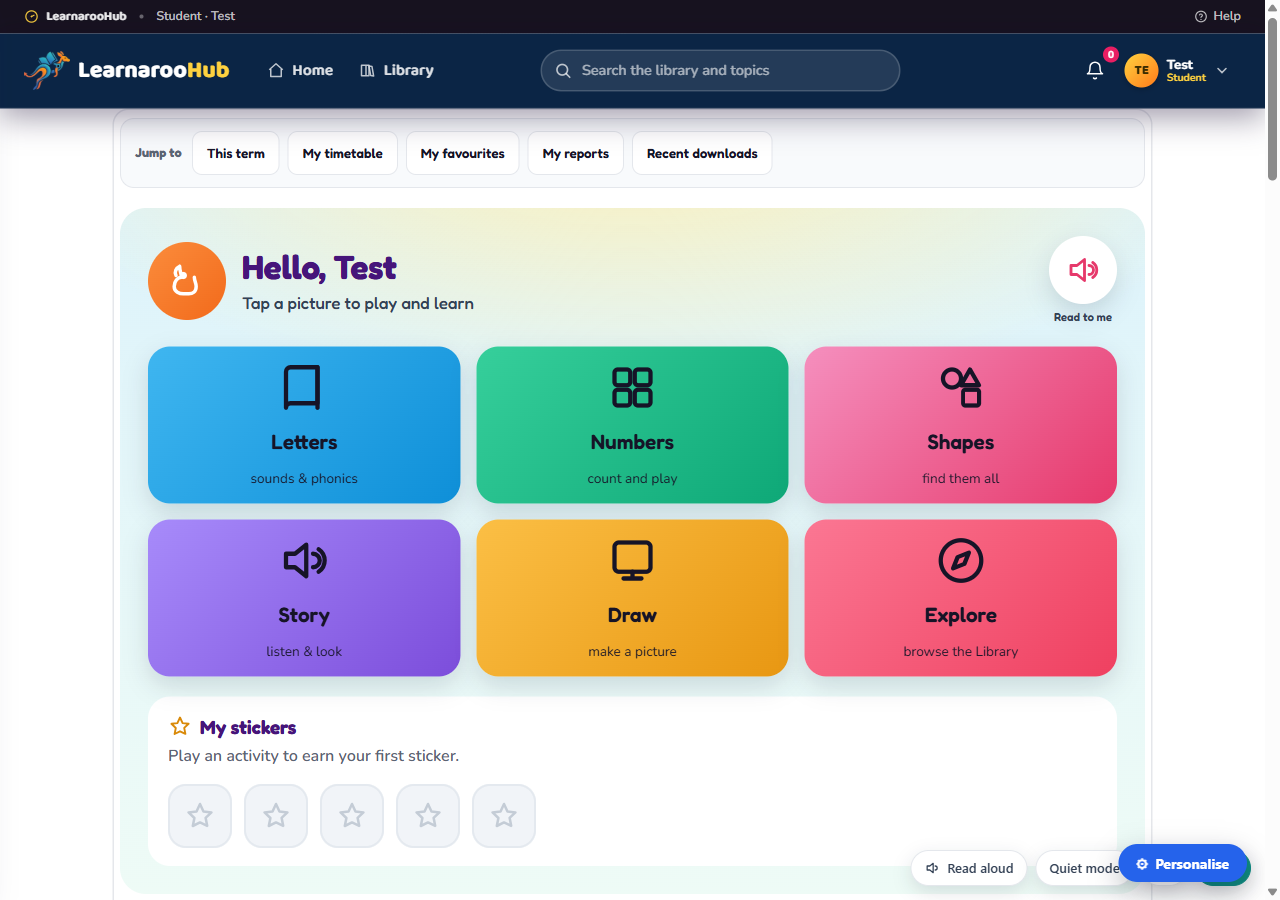
Reception
What it does+
Why parents like it+
Why schools like it+
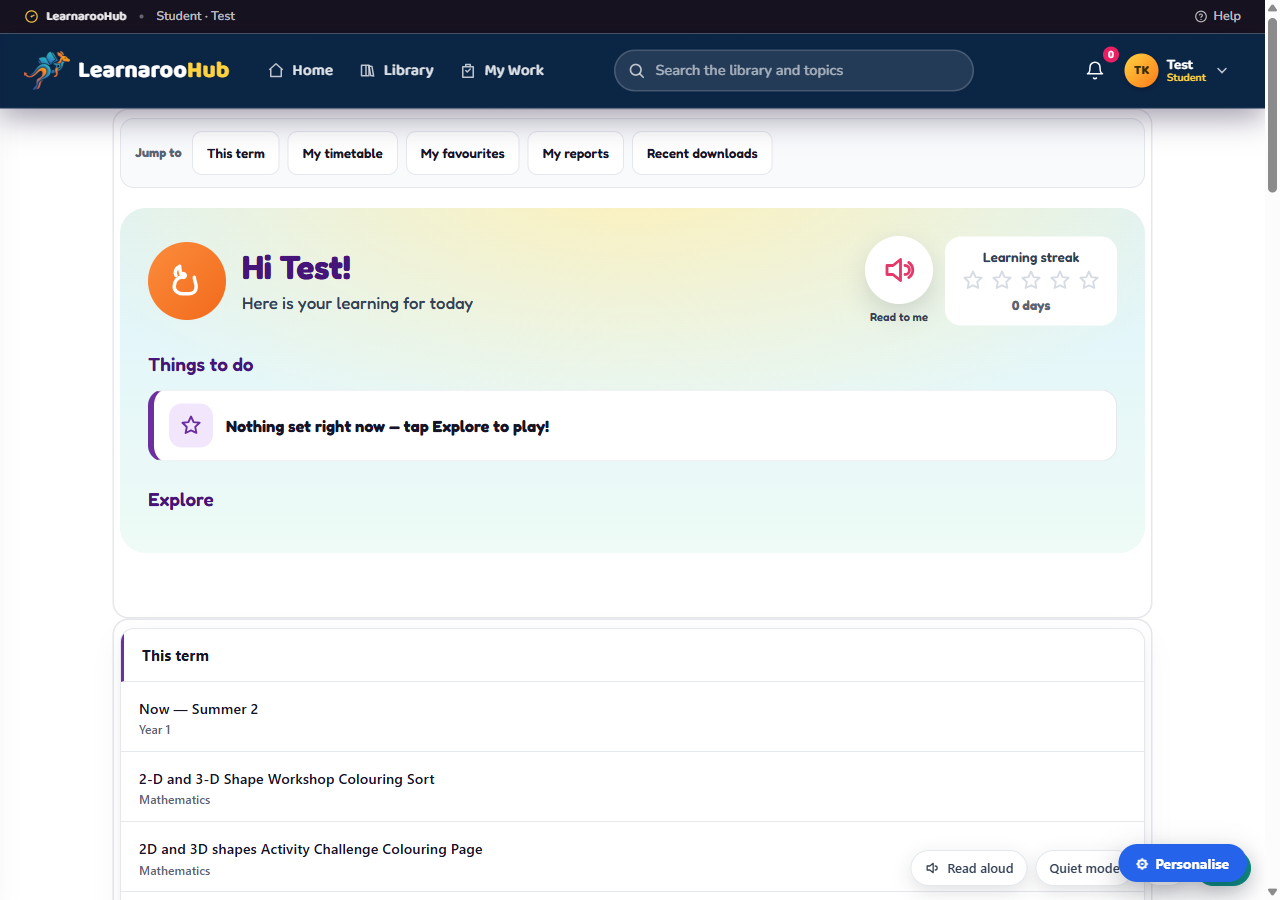
Years 1–2
What it does+
Why parents like it+
Why schools like it+
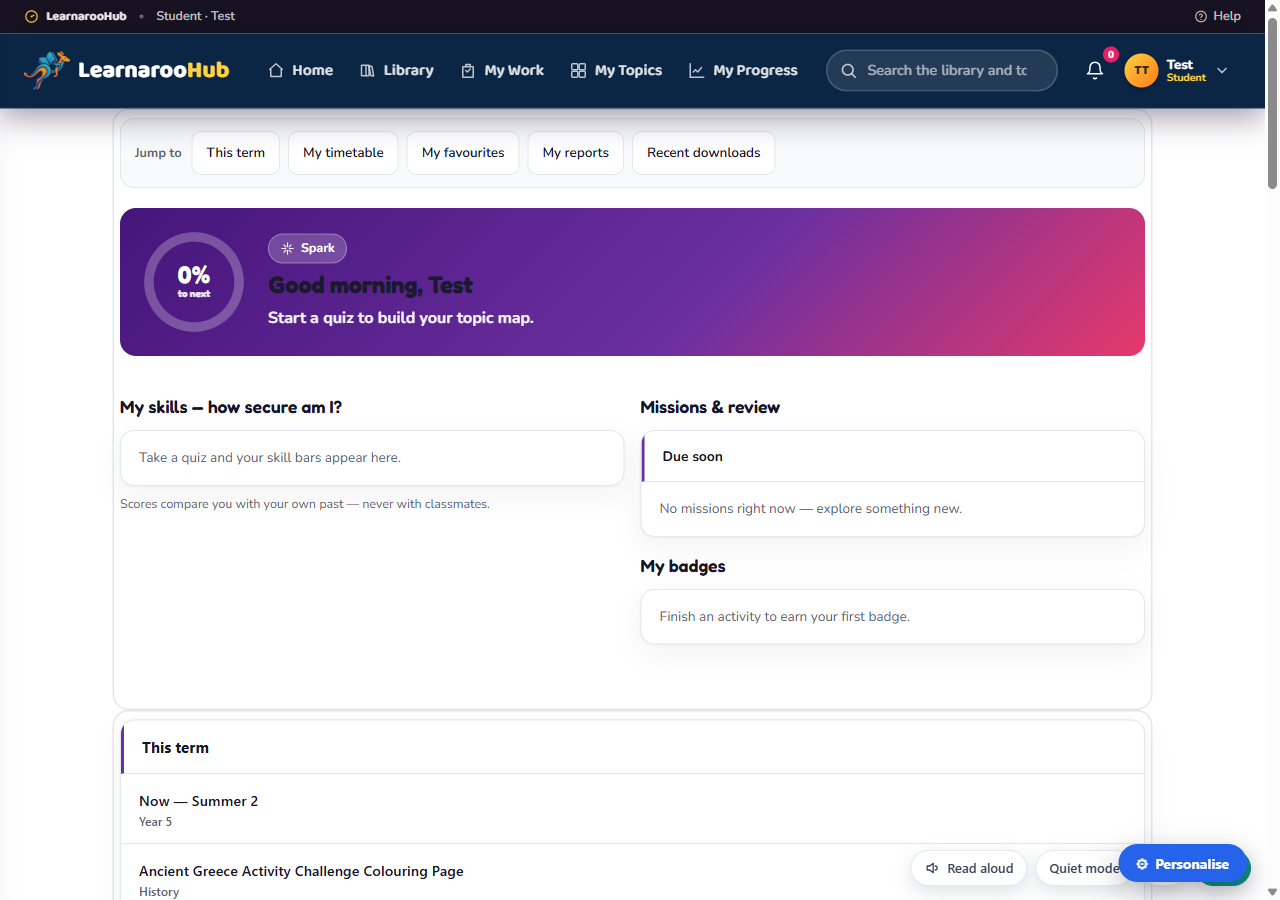
Years 3–6
What it does+
Why parents like it+
Why schools like it+
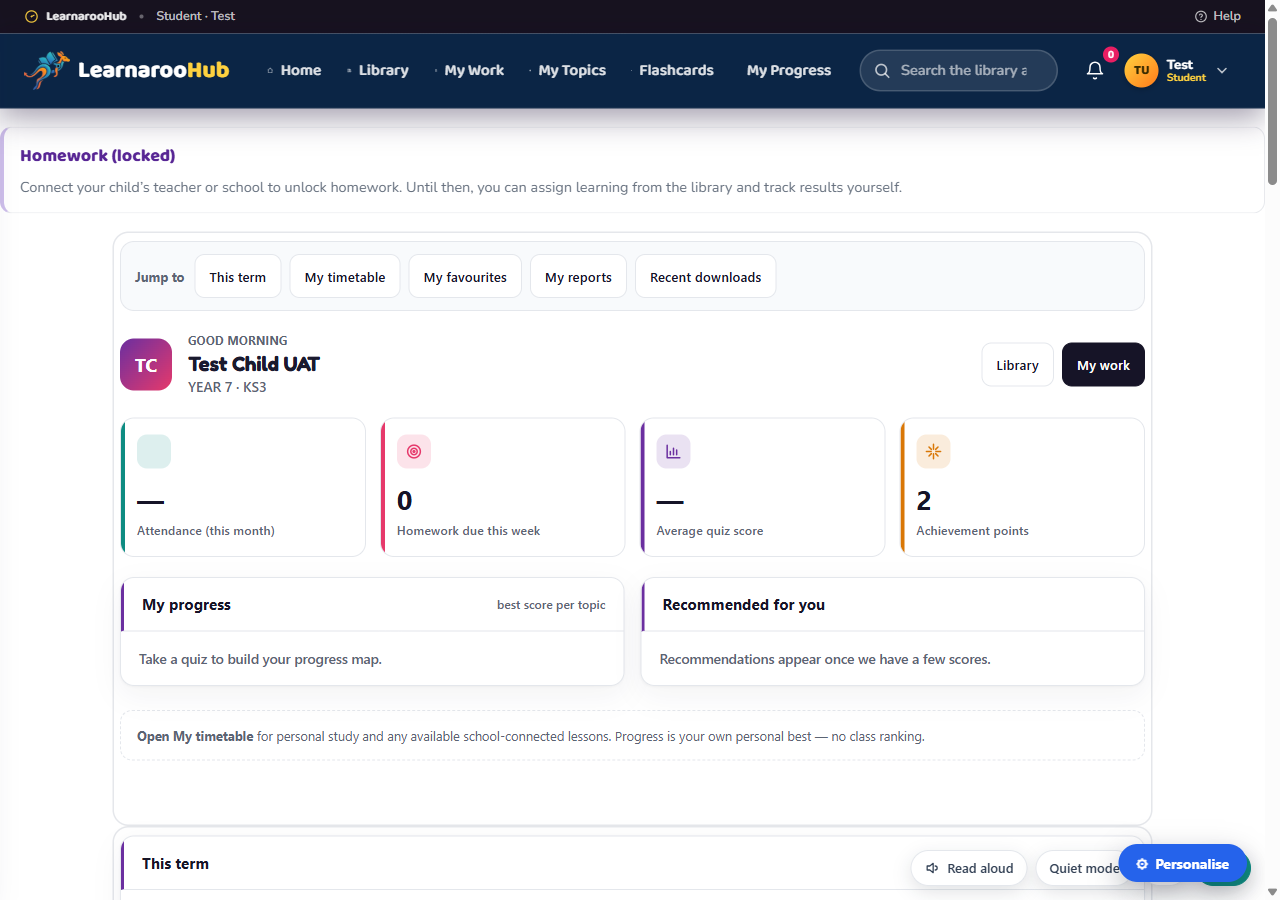
Years 7–9
What it does+
Why parents like it+
Why schools like it+
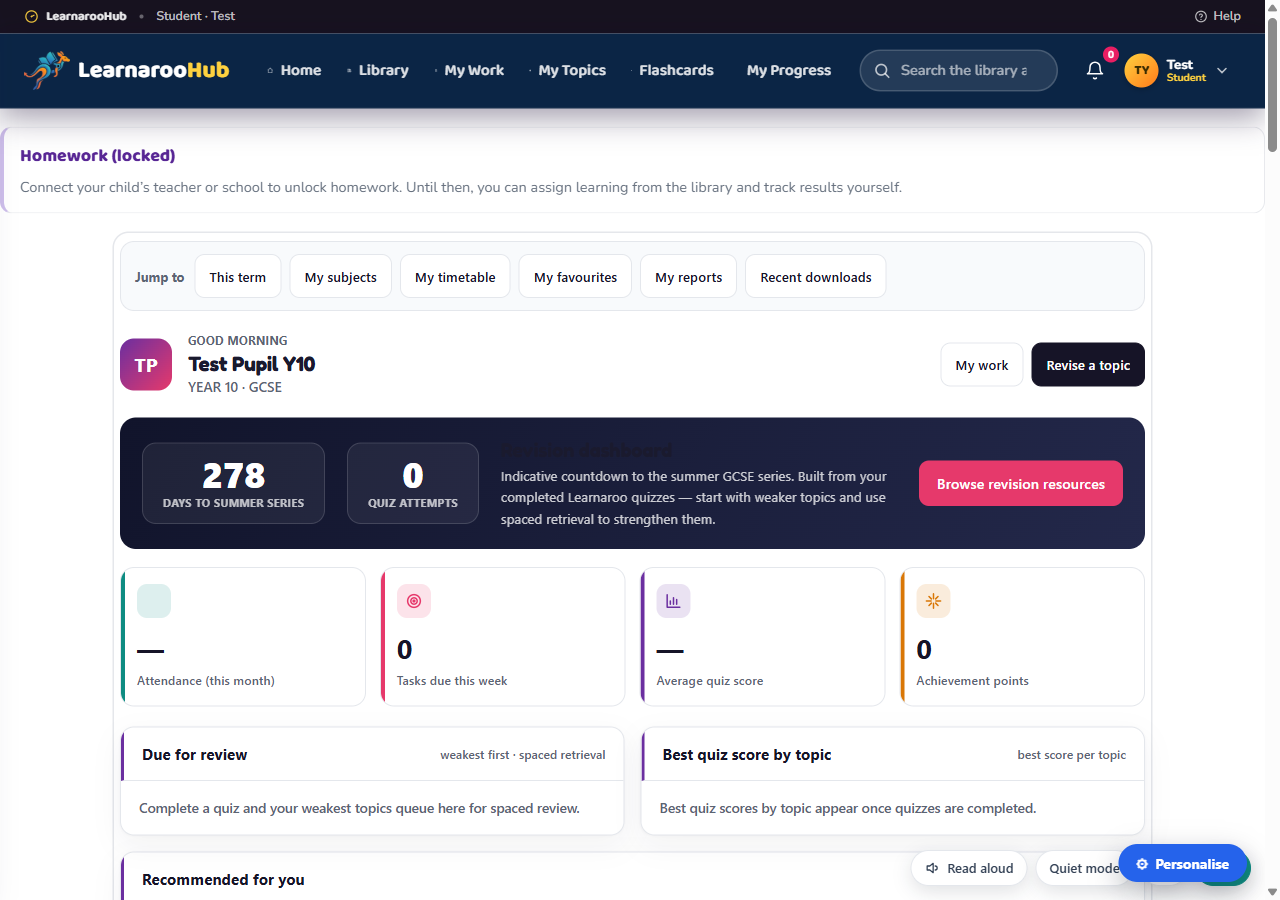
Years 10–11
What it does+
Why parents like it+
Why schools like it+
Home and school connect without duplicating the learner
A unique token is generated when an adult creates a child account. It identifies the child record to be connected; it does not give every adult access to every learner.
Give the child token to school
The educator connects the school to that existing child. The parent keeps parent-scoped access; school staff see only their authorised school scope.
Give the child token to the parent
The parent connects to the existing school-created learner. The same child can then have both home and school activity without creating a second account.
No connection is required
A family can use Learnaroo without a school, and a school can use it before a parent connects. School-only tabs remain unavailable until the relevant connection exists.
What the LMS records for learning activity
The exact evidence depends on the resource format. Adults see only records within their authorised relationship to the child. Available records depend on the resource format and your current connection to the learner.
| Activity | How it is recorded | What is available to review |
|---|---|---|
| Assigned learning | Assignment creation, start and completion lifecycle where the format supports it. | Assigned adult, learner, due date and status |
| E-learning lessons | Progress/completion events from the lesson experience. | Started/completed state and supported timing/progress evidence |
| Quizzes & assessments | Submission results from the answers completed by the child. | Score, attempts and supported timing evidence |
| Games and interactive resources | Completion or score events exposed by that resource. | Supported score, attempt and completion evidence |
| Downloads and printable resources | Download/open activity rather than an invented academic mark. | Download or completion evidence supported by the resource |
| Audio lessons | Coming soon No audio resources are currently published. | |
A resource may define its own pass mark. Learnaroo does not assign a score to a printable simply because it was opened. Parent, teacher and Headteacher views are relationship-scoped so one family or school must not see another learner’s data.
A clearer picture of practice
A useful learning record explains what happened. Reviewing the work together matters as much as the number beside it.
| Record | What it tells you |
|---|---|
| Attempts and scores | Responses and results recorded by supported quizzes and activities. |
| Completion | The completion event recorded by that activity. Opening or downloading a document does not establish learning completion. |
| Adult review | Evidence to discuss with the learner and use when choosing the next step. |
An activity score alone does not establish curriculum mastery, predict an examination grade or replace a teacher’s assessment.
Role and feature boundaries
Your tools follow your account role, current learner connections and selected plan. School-managed permissions stay with the school owner. See Memberships for current account options.
| Feature | Parent | Independent teacher | Managed teacher | Headteacher |
|---|---|---|---|---|
| Create child accounts | ✓ | ✓ | ✓ in assigned classes | ✓ |
| Create classes | − | ✓ | − | ✓ |
| Manage assigned classes | − | ✓ | ✓ | ✓ all school classes |
| Assign resources and deadlines | ✓ own children | ✓ own learners | ✓ assigned classes | ✓ school learners |
| Manage class timetables | − | ✓ | Headteacher permission | ✓ |
| Personal study timetable | ✓ for child | − | − | − |
| School timetable and homework at home | When child is linked | ✓ | ✓ | ✓ |
| Child resource-request approvals | ✓ | ✓ if connected | ✓ if connected | ✓ if connected |
| Create Teaching Assistant accounts | − | − | − | Planned |
| MAT / Trust customer dashboard | Paused | |||
| Multilingual interface | Planned | |||
Features FAQ
Can a child create their own account?+
What happens if a child is already registered at home or school?+
Can every teacher create classes?+
Who controls a managed teacher’s timetable access?+
Are Teaching Assistant accounts available?+
Are audio lessons available?+
Where can I check memberships and language availability?+
Start with the account that matches your role 🚀
Create a free parent or independent-teacher account, or ask about a Headteacher-led school setup. Child accounts are always created by an authorised adult.
